


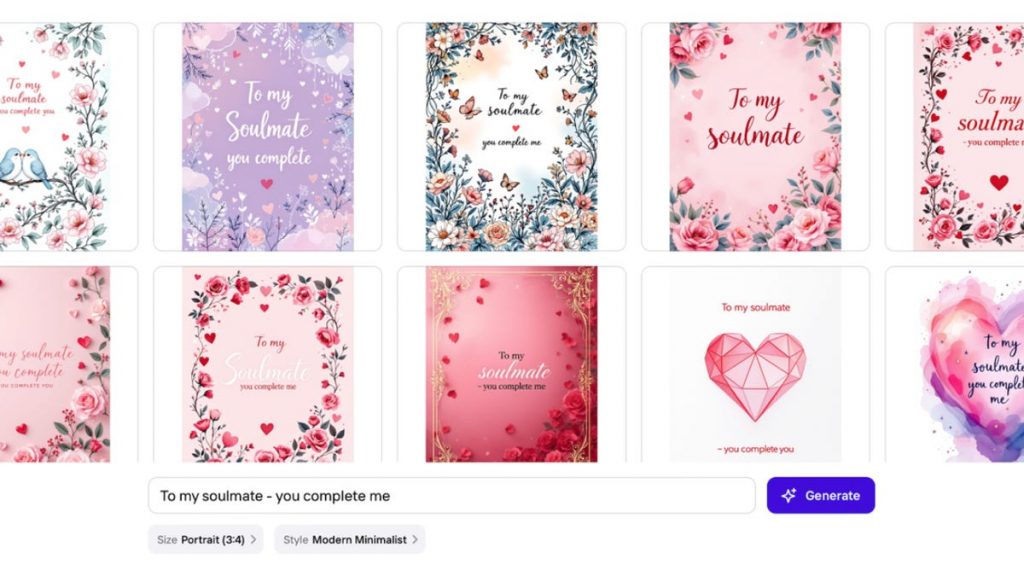
Valentine’s Day is almost here, and we could all use the extra love and laughs — even if it’s from a Valentine’s Day card. I don’t like the corporatization of Hallmark’s holiday, and given that I don’t have any sketching skills to hand-make a card, I wanted to test what artificial intelligence could help me create for free.
A quick search for a tool to test, and I found Photoroom. While it was too big of an ask to «make her day» with an AI card, maybe it would make her laugh. Digital card sites can do the trick, but I was curious to see what AI had up its artificial sleeves.
Photoroom promises to help create personalized Valentine’s Day cards in seconds. Released in 2020, it uses its own proprietary AI model trained on open-license images and partner purchases. There is a free plan, as well as premium membership tiers at $90 a year. To access the AI Tools function, I signed up for the free one-week trial of Pro.
If it worked well, I could use it for birthday cards, holiday cards, thank-you cards and invitations.
Getting set up with Photoroom AI
On the Photoroom website, I clicked on the Start Creating button to the right on the menu, then AI Tools in the list under the logo. Next, I navigated to See all to expand the options available, as I didn’t see Valentine’s Day in the first view.
Photoroom has pre-generated prompts available, or you can use the chatbox to come up with your own prompts, like other AI tools I’m used to.
While the prompts are generic and to be expected — like «You make my heart smile» and «you complete me» — I picked one to generate a card, just to see the AI’s «design» capabilities.
It didn’t sweep me off my feet.
For round two, I used the Style prompt dropdown to test out different versions. They all looked very high school, with lots of butterflies and birds — swiftly followed by cats, rabbits, penguins and dragons.
The problem seemed to be the categories. I realized mine was set to «Naïve Cuteness,» whatever that is.
I picked a couple of versions that had the least amount of AI-ness, then used the prompts and chatbox to tweak the design. I asked the AI to replace the love heart with an infinity sign (without changing the quote placement), but it either added the symbol but changed the text, or removed the heart altogether.
I finally settled on one, and asked the AI tool to regenerate it a couple of times:
I continued regenerating it with small tweaks. How does AI even make minimalism look bad? And it changed the font, even though I asked it not to.
After a few more rounds of regenerating, it got it right. I just needed the font bigger — but this is as close as I could get:
Photoroom was really starting to irritate me, so I just picked one and asked it to change the text, but not the font. But at this point, the AI tool just ignored me. It literally generated the exact same image, and then started to add words that made no sense.
Back to the AI drawing board
I started over because I at least wanted to make my wife laugh. There was nothing personal about this «custom card» that I couldn’t do in Canva or Photoshop.
This was the first prompt I gave: «Create an image of two women, one with curly brown hair and the other with blonde hair, holding their baby while walking the streets of New York City.»
Not bad. I requested a text change, and it finally listened!
Below was the final result. Better than a Hallmark card, but not without its headaches, and it took a long time to get there.
The verdict on AI for Valentine’s Day cards
While I didn’t fall in love with Photoroom or the ability to use AI to create custom cards, it was more personal than a Hallmark (and it was free). It will make her feel special, but it doesn’t come close to the poem she wrote me when we first started dating. She took one line from each of my favorite songs and turned it into a poem.
There’s no topping that. When it comes to matters of the heart, we don’t need AI.
Humans have got that mastered.