


A lot of internet discourse can be boiled down to keeping us laughing. Social networks like TikTok, messaging services like WhatsApp and forums like Reddit are awash with content designed to tickle the funny bone.
Meme lords and original posters are often rewarded for their efforts with reactions in the comments that add to the hilarity, and now that generative AI is on the scene, you can create images perfectly crafted for every occasion.
Here’s how to use AI to create reaction GIFs, stickers and images for comments and text threads.
Enhance and modify memes
We all have our favorites, and there are seemingly endless options. Mocking SpongeBob. Handsome Squidward. Savage Patrick. And that’s just from one show. There’s a whole universe of meme content ripe for the picking and simply begging to be remixed.
Google’s Gemini AI was much more adept than ChatGPT at generating fresh versions of old memes for specific comments in my testing. Keeping the overall effect of the original reaction meme is paramount, and Gemini succeeded more often than not.
Ahead of the Super Bowl this weekend, Hide the Pain Harold became a football fan in team colors with a simple prompt, giving new meaning to the classic meme.
You may need to tweak prompts and make edits. In this case, Gemini AI neglected to include the beanie on the character’s head, so an update to the result was necessary.
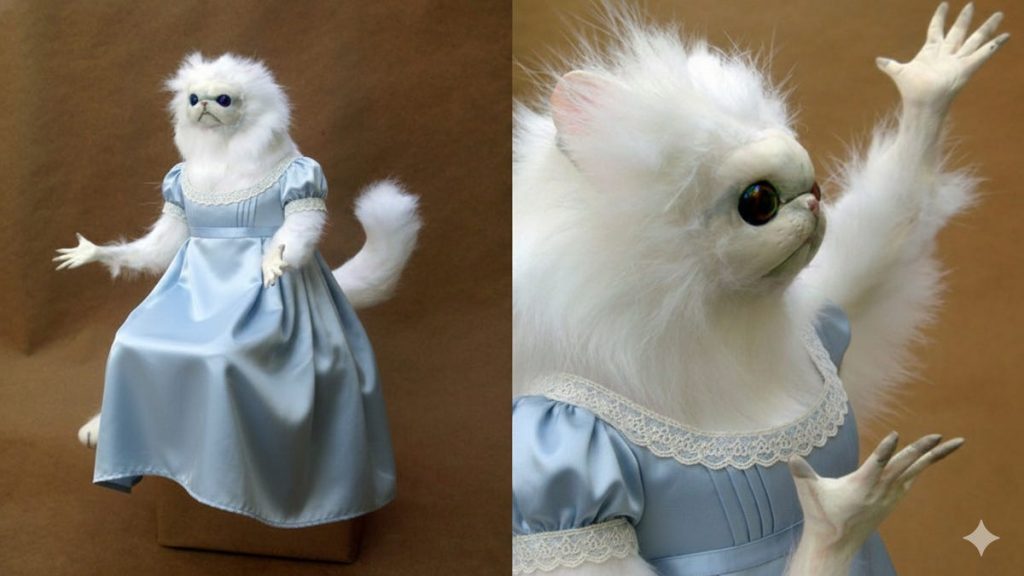
Next, I gave the Monkey Cat meme the Bridgerton fashion treatment for fans in search of the perfect feeling to convey in the comments. I used this prompt in Gemini: «Change the creature in the image into a Bridgerton-style character. Keep the expression on the creature’s face the same — exactly the same. Keep the lighting exactly the same. The only thing that should change is the style of dress.»
Lastly, I transformed the skeptical dog meme into a wizard of the dark arts using a similar prompt to keep everything about the character the same, except for its style of dress and background:
GIFs that keep on giving
There are only so many ways you can reward someone else’s excellent comment or original post on Reddit. But Canva has a feature on its platform called Magic Media, which can generate just about any upvote animation you can imagine through simple text prompts.
Click the Magic Media icon on Canva, and you’ll be able to generate a video through text prompts. Once you’ve got the desired clip, you can edit it in the timeline:
You can then export it to GIF format by clicking the share button:
Moments with meaning
Not everything is a joke. Sometimes you forget your mom’s birthday for the second year in a row, and sending a card a week after the date would only make it worse. You need something sentimental, personalized and immediately available.
Adobe Firefly AI can generate custom short-form videos in a variety of art styles, perfect for dropping into a hasty text or adding to the comments section of the passive-aggressive birthday post she tagged you in.
You can easily add emotional details that fit the relationship, so if your mom is a big fan of, say, fantasy books, Adobe Firefly AI can generate the birthday cake of her dreams in a few minutes.
In-browser tools like Adobe Express or Canva can convert videos into looping GIFs with a single click:
Be careful with this one, though — the last thing you want is to have to awkwardly explain to a disappointed recipient that the AI fantasy book-themed cake is not, indeed, real.